March 1, 2026
How AI Pipelines Actually Work in Ad Production
A workflow breakdown from someone who builds them daily.
There's a version of this article that starts with "AI is revolutionizing the advertising industry" and proceeds to say nothing useful for 2,000 words. This is not that article.
I run AI production pipelines for a living. I build them at Optix, the AI-driven production arm of Prodigious (Publicis Groupe), for clients like e&, GMC, Saudia Airlines, and Philip Morris International. What follows is what actually happens when a client brief hits my desk and AI is part of the answer -- not the TED Talk version, not the LinkedIn fantasy, but the real workflow, with all its friction.
The Pipeline, Stage by Stage
Stage 1: The Brief (Humans Only -- AI Can Wait)
Every project starts the same way it always has: with a brief. A client needs a campaign, a set of assets, a video, a visual identity refresh. The brief defines the audience, the message, the channels, the deliverables, the timeline, and the budget.
AI has no role here. Zero. I've seen people try to feed briefs into ChatGPT or Claude to "analyze" them, and what comes back is a restatement of what was already written, dressed up with bullet points. The strategic thinking -- understanding what the client actually needs versus what they're asking for, reading between the lines of a brief, knowing the client's history and internal politics -- that's human territory, and it's going to stay that way.
What I will sometimes use an LLM for at this stage is competitive research -- quickly surveying what competitors have done, summarizing market reports, or pulling together reference material. That's genuinely useful. But the strategic decision of how to approach the brief? That's why they're paying us.
Stage 2: Concept and Ideation (Where AI Earns Its First Dollar)
This is where AI first becomes genuinely valuable, and it's not for the reason most people think.
The value isn't that AI generates the concept. It doesn't. The value is that AI compresses the distance between an idea in your head and a visual that other people can react to.
Before AI, if I wanted to show a client three different visual directions for a campaign, that meant either commissioning rough illustrations, pulling together mood boards from stock libraries, or trying to describe the vision in words and hoping everyone was imagining the same thing. That process took days.
Now, I open Midjourney (currently on V7, with V8 Alpha in preview), generate in Nano Banana Pro (Google DeepMind's Gemini 3 Pro Image model -- more on why in a moment), or fire up a ComfyUI workflow with Flux 2 and generate concept visuals in hours. Not finished art -- concept visuals. There's a critical difference that I'll come back to.
For copy ideation, Claude is my go-to. Not for finished copy, but for generating fifty headline variations in thirty seconds, exploring different tonal directions, or pressure-testing whether a campaign concept works across multiple markets and languages. It's a brainstorming partner that never gets tired and never gets defensive about its ideas.
What stays human: The creative direction. Knowing which of those fifty headlines actually resonates. Understanding why one visual direction feels right and another feels like a stock photo with extra steps. Taste, essentially. AI doesn't have it.
Stage 3: Asset Generation (The Engine Room)
This is where the pipeline gets technical, and where most of the misconceptions live.
People imagine this stage as: type a prompt, get a finished ad. In reality, it looks like this:
For still images, my primary generation tool is Nano Banana Pro -- commonly known by that name, technically Gemini 3 Pro Image from Google DeepMind. It generates up to 4K resolution in various aspect ratios, and here's why it matters for my work: it understands cultural context that other models don't. When I'm producing content for GCC markets, I need a model that knows the difference between an Emirati Kandura -- collarless, with the signature tarboosh tassel at the neckline, minimal embroidery -- and a Saudi Thobe -- buttoned collar, often longer, with more ornate embroidery. Midjourney doesn't know the difference. Flux doesn't know the difference. Nano Banana Pro does. When you're producing ads for an Emirati telecom or a Saudi airline, getting this wrong isn't a minor detail -- it's an insult to your audience. I also use it for image editing alongside alternatives like Qwen Image Edit, which excels at precise text editing in images.
For local, pipeline-driven work where I need fine control, I use ComfyUI with Flux 2 -- and for browser-based node workflows, Weavy (recently acquired by Figma and rebranded as Figma Weave) has proven very effective. Alternatives like Krea Nodes and Pletor exist too, but my advice is simple: pick a weapon. Getting really good with one node-based tool is better than being superficially competent with several of them. Learn the architecture, learn the shortcuts, build your library of reusable workflows, and commit.
Why node-based tools at all instead of just Midjourney? Because production demands reproducibility. Midjourney is fantastic for exploration, but when a client approves a visual direction and says "now give me 40 variations of this for different product SKUs across five aspect ratios," I need a workflow I can parameterize, automate, and hand to my team.
A typical production ComfyUI workflow looks like this:
- Base generation using Flux 2 Pro or a brand-trained LoRA model for style consistency
- ControlNet conditioning for compositional control -- making sure the product sits where it needs to sit, the model poses correctly, the layout matches the approved concept
- IPAdapter reference images to maintain visual consistency with the brand's existing assets
- Face detailing via the Impact Pack for any human subjects
- Upscaling through Real-ESRGAN or tiled img2img for print-resolution output
- Export to Photoshop for final compositing, typography, and brand element placement
Every one of those steps requires human judgment. Every one produces outputs that need to be reviewed, selected, and often re-run with adjusted parameters. The "AI" part is fast. The human part -- choosing, refining, art-directing -- takes longer than people expect.
For video, the landscape has shifted dramatically. Kling 3.0 is currently the strongest tool in my pipeline -- it generates up to 15 seconds of 4K footage at 60fps with physics-accurate motion and, crucially, supports multi-shot storytelling with up to six connected shots. That last feature is a genuine production breakthrough, because the biggest problem with AI video has always been consistency across cuts.
Runway Gen-4.5 is the other workhorse -- it holds the top position on the Artificial Analysis benchmark with 1,247 Elo points. It excels at cinematic quality and camera control.
There's also Seedance 2.0 from ByteDance, which is technically impressive -- especially for animation and stylized content. But here's a cautionary tale: after Hollywood studios including Disney, Netflix, Paramount, and Sony threatened legal action over IP violations, ByteDance deployed aggressive content filters that block all realistic human face uploads as reference images. The result? A video model that's powerful for animation and text-to-video but effectively unusable for character-driven live-action content with any kind of face consistency. It's a reminder that technical capability and production viability are two different things.
And what about Sora? Here's a sentence I would not have predicted writing: OpenAI is shutting Sora down. The app closes on April 26, 2026; the API follows in September. It cost OpenAI an estimated $4.2 million per day in GPU compute, peaked at about a million users, and declined to under 500,000. The most hyped AI video tool in history couldn't find a sustainable business model. I'll have more to say about what that means in a future piece, but for now: the tools that survived are the ones that solved real production problems, not the ones that generated the most impressive demos.
For audio and music, I use Suno and Udio for scratch tracks during concepting -- placeholder music that gives the client a feel for the final piece. For production voiceovers, ElevenLabs is the industry standard, with professional voice cloning that's essentially indistinguishable from the original across 28 languages.
For localization and dubbing, HeyGen has matured significantly. Its Avatar IV model doesn't just move lips -- it interprets vocal emotion and generates corresponding micro-expressions. We use it to take a single spokesperson video and produce versions in 175+ languages with matching lip-sync and preserved vocal characteristics. Audio dubbing is now unlimited on their platform, which matters at scale.
Stage 4: Refinement and Post-Production (Where the Real Work Lives)
Here's the dirty secret of AI production: the output is never the deliverable.
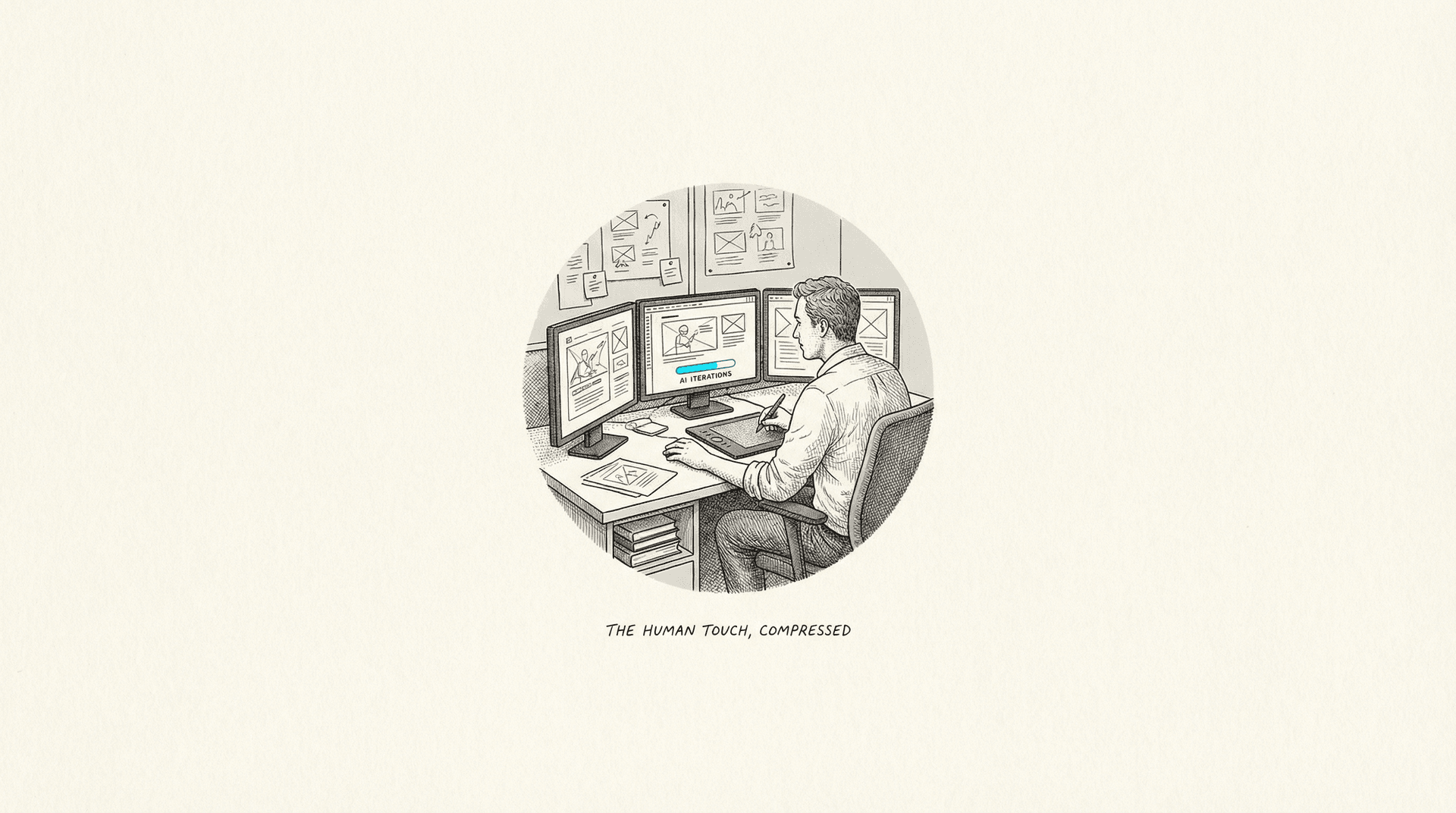
AI gets you to 80% in 20% of the time. The remaining 20% takes 80% of the effort. And that remaining 20% is the difference between "cool AI demo" and "work a client will actually approve."
Refinement means:
- Compositing in Photoshop or After Effects -- placing brand elements, adding typography, ensuring layout compliance with media specifications
- Color grading in DaVinci Resolve to match brand color profiles and ensure consistency across assets
- Artifact removal -- AI still occasionally produces visual glitches, especially with hands, text rendering, and fine detail
- Brand compliance review -- does this match the brand guidelines? Are the colors within spec? Is the logo placement correct? Is the product representation accurate?
- Legal review -- does this asset contain any inadvertent likeness to a real person? Any trademark issues? Any copyright concerns?
This stage uses largely the same tools we've always used. AI hasn't replaced post-production; it's changed what the raw material looks like when it arrives.
Stage 5: Review and Approval (Trust Takes Time)
Client approval for AI-generated content is its own beast.
Most clients I work with have gotten comfortable with AI-generated stills for social and digital. They're warmer on AI video than they were a year ago, especially after seeing what Kling 3.0 and Runway Gen-4.5 can do. But there's an extra layer of scrutiny that doesn't exist for traditional production: the "does this look AI?" question.
Audiences have developed a sixth sense for AI-generated content, and the backlash when they detect it is disproportionate. Coca-Cola learned this the hard way with their AI-generated holiday ad in late 2024 -- technically competent, emotionally hollow, and the internet ripped it apart. The perception of inauthenticity can damage a brand more than a mediocre but clearly human-made ad ever would.
So we've added disclosure protocols to our process. Some clients want AI use disclosed; others want it invisible. Either way, the QA bar is higher than it is for traditional production, not lower.
Stage 6: Versioning and Delivery (Where AI Quietly Shines)
This is actually where AI delivers the most unambiguous value, and it gets the least attention.
Taking an approved hero asset and generating 47 format variations -- different aspect ratios for Instagram Stories, Facebook feed, YouTube pre-roll, digital OOH, web banners -- used to be a mind-numbing production task. Now, between ComfyUI batch processing, Adobe Firefly's Generative Expand (which now integrates 30+ external models including Runway Gen-4.5 and Kling), and automated resizing pipelines, what used to take a production artist two days takes two hours.
Localization is similar. A campaign that needs to run in six GCC markets with different language overlays, cultural adaptations, and format requirements is dramatically faster to produce when HeyGen handles the video localization and an LLM assists with copy adaptation.
The Tools Are Not the Pipeline
One thing I see constantly misunderstood: people confuse tools with pipelines. Having a Runway subscription doesn't mean you have an AI production pipeline. Having Midjourney and ComfyUI and HeyGen and ElevenLabs and Suno and Adobe Creative Cloud doesn't mean you have an AI production pipeline. Those are instruments. A pipeline is the orchestration -- knowing which tool to use at which stage, how the output of one becomes the input of the next, where the human checkpoints sit, and how the whole thing hangs together when a client changes the brief on Thursday afternoon.
Building a production pipeline means making decisions like:
- Model selection per use case: Nano Banana Pro for production stills that need cultural accuracy and 4K output, Flux 2 for local pipeline work requiring fine control, Kling for video where physics matters, Runway for video where cinematic quality matters
- Quality gates: Where does a human review the output? After generation? After post-production? Both? (Both. Always both.)
- Fallback strategies: What happens when the AI output isn't good enough? Do you regenerate, manually fix, or fall back to traditional production? You need to know this before you're on deadline, not during.
- Data management: Where do generated assets live? How are they versioned? How do you trace a final deliverable back to the workflow and parameters that created it? ComfyUI embeds workflow metadata in output PNGs by default, which helps, but managing hundreds of generated variations across a campaign requires actual production infrastructure.
The pipeline is the thinking, not the tools. The tools change every six months. The thinking doesn't.
What This Pipeline Actually Costs
Nobody talks about this, so I will.
An agency running a serious AI production pipeline is paying for:
- Tool subscriptions: Runway, Midjourney, HeyGen, ElevenLabs, Suno, and Adobe Creative Cloud add up to $500-2,000/month per seat
- Compute: GPU costs for ComfyUI workflows, especially video, run $2,000-10,000/month for a mid-size team. Cloud burst capacity on RunPod or Vast.ai for large batch jobs adds more
- Hardware: On-premises GPU workstations -- an NVIDIA RTX 4090 build runs $3,000+, and you'll want at least one per senior AI producer
- People: AI producers, prompt engineers, and creative technologists command $80,000-150,000 in annual salary. These are new roles, not replacements -- the traditional creatives, editors, and designers are still here
- Training and iteration: The time cost of learning tools, building workflows, and staying current as the landscape changes weekly. This isn't one training session -- it's ongoing, and it's significant
- Legal and compliance: Review time for AI-generated content, disclosure protocols, and IP risk assessment. This cost is invisible until it isn't.
A realistic first-year investment for a mid-size agency building AI production capability: $200,000-500,000, depending on team size and infrastructure approach. Year two is cheaper, because the pipelines exist and the team is trained. But year one is not cheap, and anyone telling you otherwise is selling something.
AI production isn't free production. It's different production. Sometimes faster, sometimes cheaper, sometimes better -- but always requiring investment, judgment, and craft.
What the Client Sees vs. What Actually Happened
There's a final disconnect worth naming: the client sees a finished asset and thinks "AI made this." What they don't see is the workflow design, the model selection, the LoRA training, the ControlNet conditioning, the IPAdapter tuning, the dozens of rejected generations, the manual compositing, the color grading, the brand compliance review, the legal check, and the format adaptation. They see a magic trick. What happened was a production process -- different inputs, same rigor.
Managing that perception gap is its own skill. If the client thinks AI is a button that produces finished ads, they'll expect deliverables in hours, not days, and they'll question why they're paying agency fees. Part of the AI production lead's job is educating clients on what the pipeline actually involves -- not to undersell AI's value, but to set realistic expectations that allow for the quality control the work demands.
The Bottom Line
An AI production pipeline is not a magic box that turns briefs into finished ads. It's a hybrid system that's roughly:
- 10% AI doing things humans can't (generating novel imagery from text, voice cloning across languages, physics-based video generation)
- 30% AI doing things humans can but faster (format variations, rough compositing, batch processing, first-draft copy)
- 60% humans doing what they've always done (strategy, creative direction, art direction, brand stewardship, client management, quality control, and craft-level finishing)
If that ratio disappoints you, you've been reading too many press releases. If it excites you, you understand what a genuine productivity gain looks like in a creative industry: incremental, compound, and only as good as the people operating the tools.
Omar Kamel is AI Creative & Production Lead at Optix (Publicis Groupe), Dubai. He builds AI production pipelines for brands including e&, GMC, and Saudia Airlines.
Nov 19, 2025
The Tools That Earned Their Place
A year-end reckoning of which AI creative tools proved themselves in production and which disappeared. The winners share one trait: they solved real problems instead of chasing hype.
Aug 14, 2025
Who Trains the Next Art Director?
Agencies are automating the junior roles that build creative expertise, hollowing out the pipeline for future leaders. In ten years, nobody will know how to think anymore.
May 19, 2025
The 80/20 Problem Nobody Talks About
AI gets you 80% of the way in 20% of the time. The last 20% takes 80% of the effort, and that's where the actual job lives.